Connect Apple Health
Give GridQuest permission to read your workouts and their GPS routes. Your existing outdoor adventures count, too.
 GridQuest
Coming soon to iPhone
GridQuest
Coming soon to iPhone
EVERYDAY ADVENTURES, MAPPED
Your usual walk. A different turn. Somewhere you’ve never been. Turn your Apple Health workouts into a map of everywhere you’ve explored.
A new reason to take the scenic route.
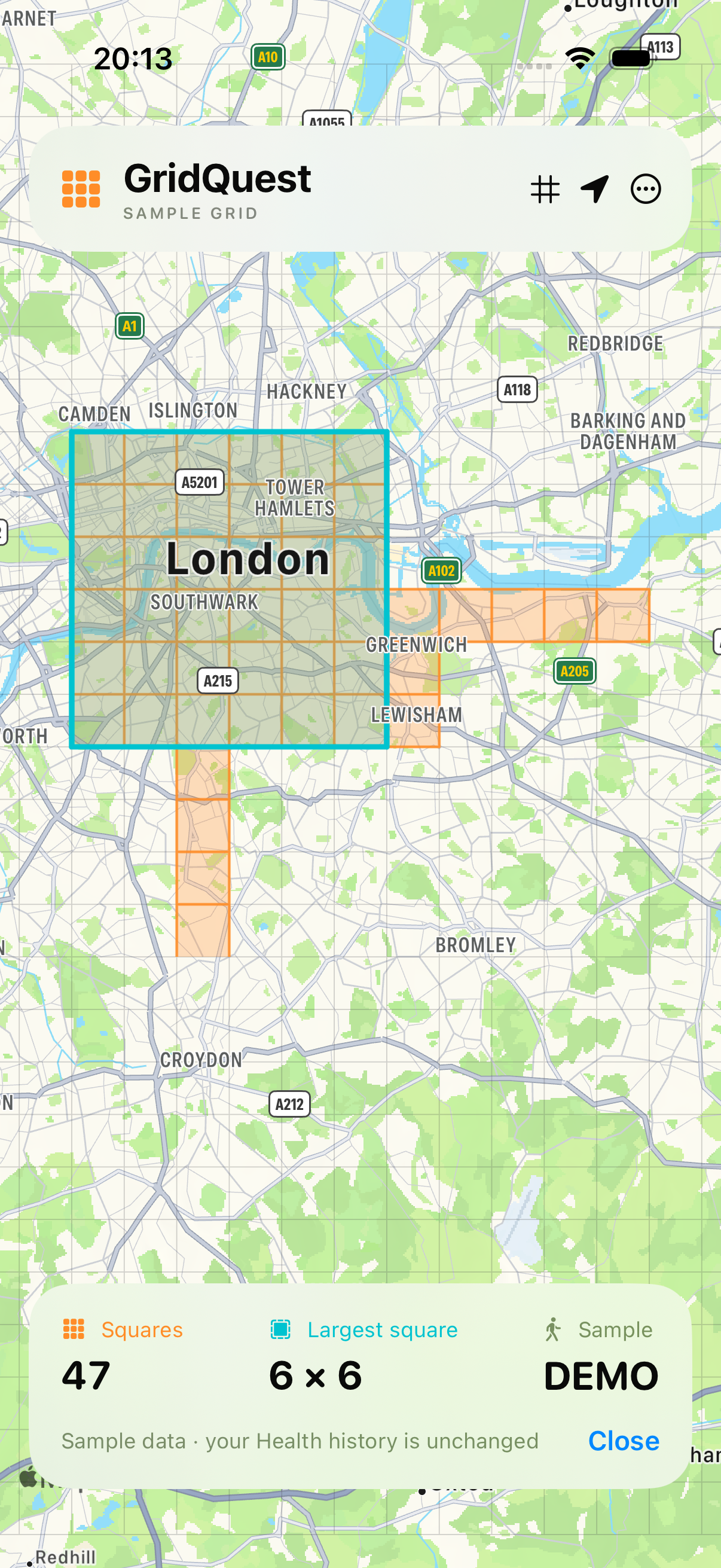
Actual app screenshot · sample grid
A SIMPLE LITTLE QUEST
You’re already doing the hard part.
GridQuest gives your outings a little extra purpose.
Give GridQuest permission to read your workouts and their GPS routes. Your existing outdoor adventures count, too.
Walk, run or ride with a workout app that saves routes to Apple Health. Every square your route visits or crosses joins your grid.
Find a new square, revisit a favourite spot or connect your explored areas into a bigger complete square. Choose your own quest.
YOUR ADVENTURES, SQUARE BY SQUARE
A map to explore. A grid to grow.
And a little nudge to try the next street.
Orange squares show the places your workout routes have explored.
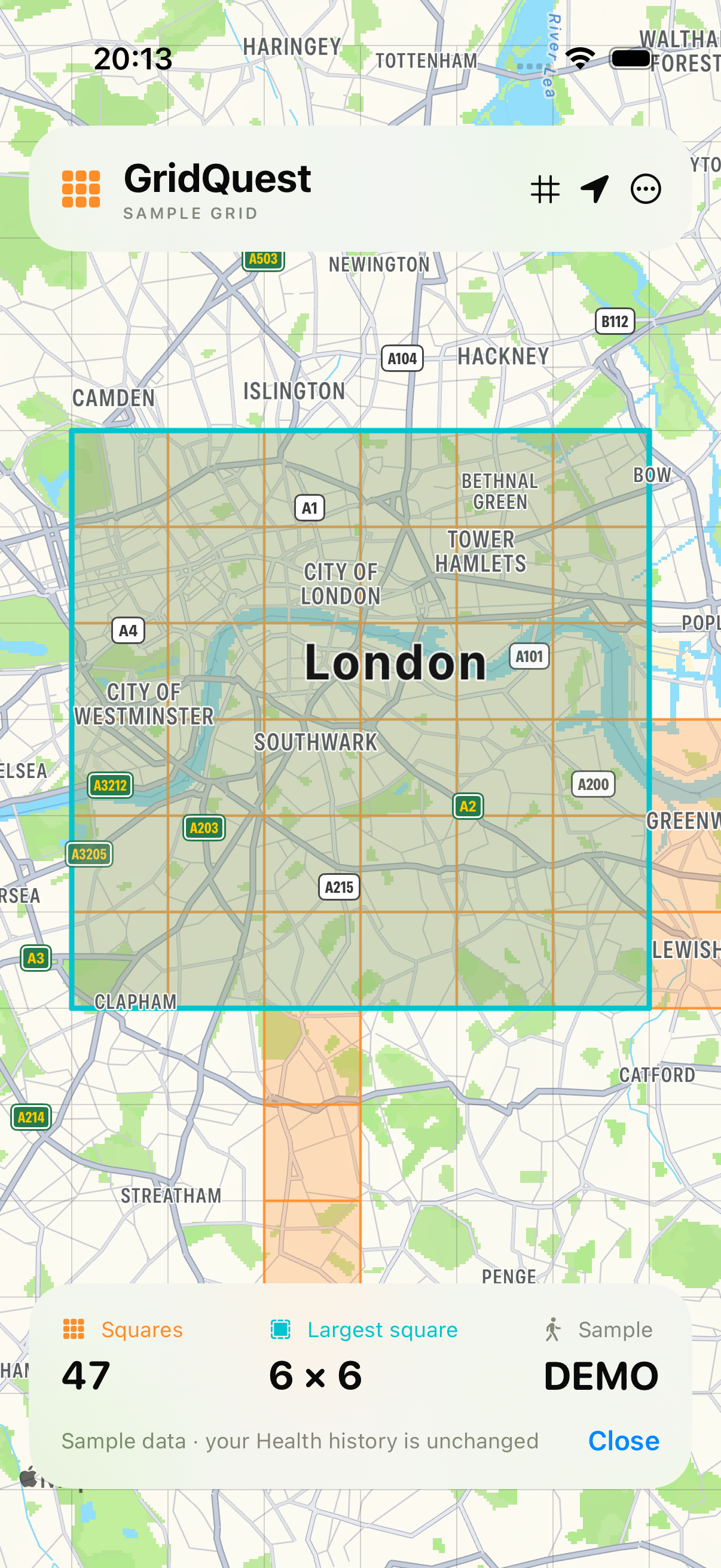
Tap your largest-square stat to jump straight to your biggest filled block.
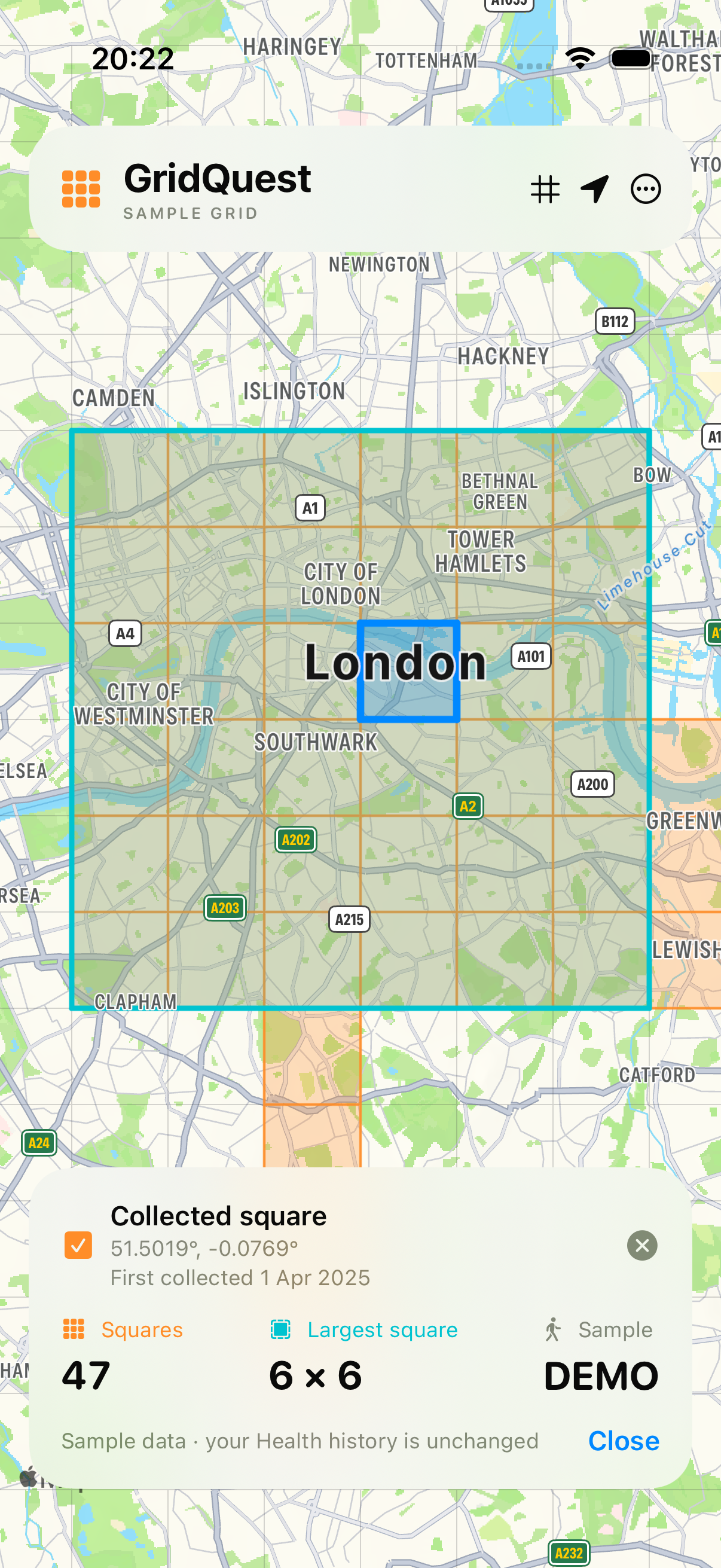
Tap a square to see when a saved workout first collected it.
Screenshots from the iPhone simulator. All displayed routes, totals and dates are sample data.
YOUR ADVENTURES ARE YOURS
GridQuest processes workout routes on your device and saves your collected grid there. Your workout data isn’t sent to a GridQuest server.
Apple Health access is read-only. You control the permissions, and GridQuest doesn’t write to your Health history.
Read the FAQsGOOD TO KNOW
Everything you need to get
your next quest underway.
A square counts when a saved workout’s GPS route visits or crosses it. Walks, runs and rides can all contribute, as long as their routes are available in Apple Health.
GridQuest uses Apple Health. Connect a workout app or device that saves GPS workout routes to Health, then allow GridQuest to read them.
The squares follow a global map grid, so their ground size varies with latitude. They’re roughly 1.5 km across in London. The grid uses the same boundaries as the original Squadra app.
Once connected, GridQuest checks for new routes when you open it and when new routes arrive while it’s running. You can also choose “Sync now” in the options menu. It adds new routes and retries any waiting ones.
“Check all Health history” is a recovery option that scans the route records again while skipping GPS already imported. Automatic syncing while the app is closed isn’t enabled.
Some workouts save time and distance without a GPS route. Routes can also arrive later from another device. Check that your workout app saves routes to Apple Health and that GridQuest has permission to read both workouts and routes.
Apple keeps read-permission decisions private, so GridQuest can’t always distinguish unavailable routes from denied access.
It’s the date of the earliest saved workout that visited that square. If an older workout route arrives later, the date updates to reflect that earlier visit.
GridQuest is a modern clone of Squadra by Bert Temme, bringing its square-collecting adventure to Apple Health workouts. Visit the Squadra website .
GridQuest is currently in development for iPhone. An App Store link will appear here when it’s available.
GridQuest for iPhone. Coming soon.
Back to the top